


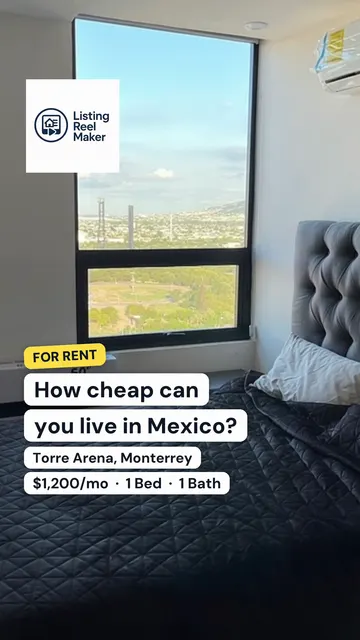
How to make a Just Sold video
1. Pick the moment
Choose Just Sold, Coming Soon or Open House. The label goes over the price on the opening card and on the closing card with the beds, baths and size.
2. Bring in the photos
Paste the home's Zillow or Realtor.com link and we import its photos, price and details, or upload 3 to 15 photos from your phone or computer.
3. Check the words
Change the price to the sale price, add the open house day and time, or write "Sold in 6 days". Add your logo, headshot, music and an optional voiceover.
4. Generate and post
Press Generate. Each photo gets camera motion, and the 9:16 video is ready for Instagram Reels, TikTok, YouTube Shorts and Facebook in about 10 minutes. We email you when it is.
Why post a Just Sold reel
A sale is the best proof you can show a seller who is thinking about listing. A Just Sold reel puts the home, the price and your name in front of the neighbors and your followers in the same feed where they watch everything else. Every listing gives you three reels, not one: Coming Soon before it goes live, Open House while it is on the market, and Just Sold at the end.
Use photos you have the right to market: your own listings, or ones the listing agent and photographer agreed to.
Questions
Is it free?
Your first reel is free to make and to download: one per new account, Standard style, up to 5 photos, with a small watermark and our end card. A reel without the watermark needs a paid reel.
Can I make a Just Sold video from the old listing?
Yes. Paste the Zillow or Realtor.com link of the home you sold. A sold home's page usually keeps its photos, and we bring in the price and details. If the photos are gone, upload them instead.
Does it show the sale price?
It opens on the price from the listing. If it sold for a different price, change it at the text step before you press Generate.
Can I add the open house date and time?
Yes. Pick Open House, then type the day and time into the reel's text at the text step, for example "Sat 1 to 4 PM".
How much does a paid reel cost?
Reels are paid in credits: a Standard reel costs 1 credit per photo, plus 1 for a voiceover. A plan gives you credits every month, enough for a listing reel and its Just Sold reel. See the pricing page for today's prices.
How long does it take?
About 10 minutes from pressing Generate. You can close the page; we email you when the reel is ready.
See pricing, turn any listing photos into a video, write a caption with the free listing caption generator, or read the blog for real estate video tips.