


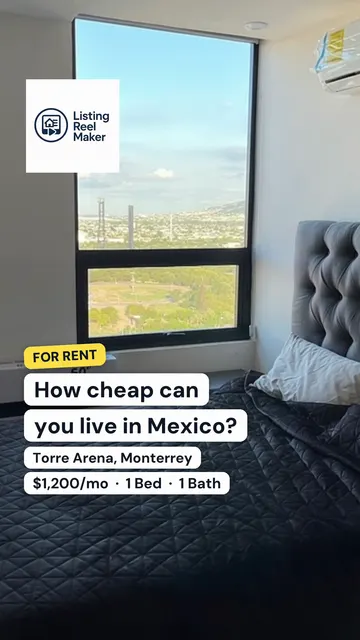
How to turn listing photos into a video
1. Bring in your photos
Paste the listing's Zillow or Realtor.com link and we import its photos and details, or upload 3 to 15 photos from your phone or computer.
2. Pick and order the photos
Choose the shots that sell the home and drag them into order. Lead with the best one: the front of the home, the kitchen or the view.
3. Choose the look
Pick a style, music and an optional voiceover script. Add your logo, your headshot and the on-screen text you want.
4. Generate and post
Press Generate. Each photo gets camera motion, and the video comes out 9:16 for Instagram Reels, TikTok, YouTube Shorts and Facebook. It is usually ready in about 10 minutes, and we email you when it is.
Zillow photos to video
Most agents already have their listing photos on Zillow. Instead of downloading them one by one, paste the listing's link (the one with _zpid in it) into the box above. We bring in the photos, the address, the price, and the beds and baths, and you pick which photos go in the video. Realtor.com links work the same way.
Two things to know. Importing a link asks you to sign in, so your draft is saved to your account. And the photos on a listing belong to the photographer or the listing agent, so make videos for your own listings or ones you have permission to market.
A video, not just a slideshow
A real estate slideshow maker fades from one still photo to the next. That works for a website gallery but looks flat in a Reels or TikTok feed, where everything around it moves. Listing Reel Maker gives each photo its own AI camera move, so a room looks like it was filmed, then adds music, on-screen text, your branding and an optional voiceover in a 9:16 video.
Questions
Is it free?
Your first reel is free to make and to watch: one per new account, Standard style, up to 5 photos, with a small watermark. Downloading it, or any reel without the watermark, needs a paid reel. We give a limited number of free reels each day.
How much does a paid reel cost?
Reels are paid in credits: a Standard reel costs 1 credit per photo, plus 1 for a voiceover. A 5-photo reel with a voiceover is 6 credits, or $15 at the single-credit price. Plans cost less per credit. See the pricing page for today's prices.
How long does it take?
About 10 minutes from pressing Generate. Setting it up takes a few minutes more. You can close the page; we email you when the reel is ready.
How many photos do I need?
At least 3 and up to 15. Five to eight strong photos make a reel of a good length for Instagram and TikTok.
Can I turn Zillow photos into a video?
Yes. Paste the listing's Zillow link and we bring in its photos. Use it for your own listings or ones you have permission to market, since the photographer or the listing agent owns those photos.
Is this a slideshow?
Not a plain one. A slideshow fades between still photos. Listing Reel Maker adds AI camera motion to each photo, so rooms look filmed, and adds music, captions and an optional voiceover.
Can I edit the video after it is made?
Yes, from the reel page you can change the text, music, voiceover and photos and render it again. Some changes cost credits; the edit panel shows the price before you render.
See pricing, write a caption with the free listing caption generator, or read the blog for real estate video tips.