
Real Estate Listing Video Maker: Paste a Listing Link, Get a Reel
Turn a Zillow or Realtor.com listing, or your listing photos, into a vertical video reel in a few minutes. Your first reel is free, with a small watermark.
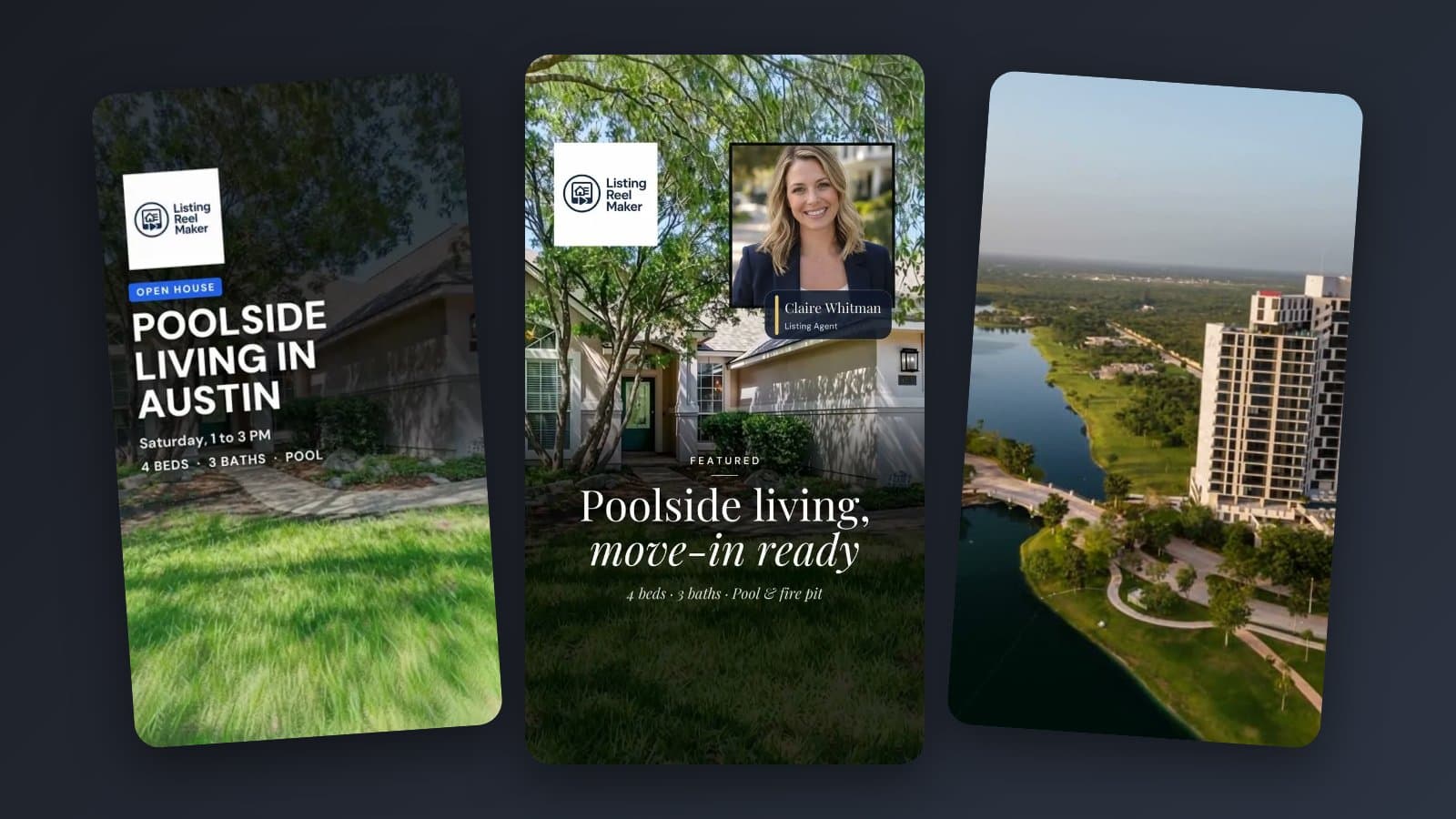
A real estate listing video maker takes the listing you already have and builds the video from its photos for you. You don't film, cut clips or line up music by hand.
With Listing Reel Maker you paste a Zillow or Realtor.com link, or upload your listing photos, and get a vertical reel for Instagram, TikTok, Facebook and YouTube Shorts. It is usually ready in a few minutes. Your first reel is free, with a small watermark, and no card is needed.
What you get
This reel was made from listing photos in the builder. Each listing video has:
- A camera move on every photo. Standard is a slow push-in. Cinematic lets you pick a move per photo: drone orbit, crane up, fly-in, gimbal arc or glide through.
- Words on screen. A headline and the key facts (price, beds, baths, the one feature that sells the home). You can change every line.
- Music. Pick a mood and a track from the builder's music library.
- An optional AI voiceover that reads a short script about the home.
- Your branding. Your logo, and your headshot if you want it.
- A 9:16 vertical file that fits Reels, TikTok, Facebook and YouTube Shorts.
How to make a listing video from a link
- Open the builder and sign up. No card.
- Paste the Zillow or Realtor.com link for the listing. The builder pulls in the listing photos. No link? Upload 3 to 15 photos instead, or try it first with a sample listing.
- Pick the style, the words, the music and, if you like, a voiceover.
- Generate. Your reel shows up in your account, usually in a few minutes.
You can also do all of this on your phone with the app for iPhone or Android.
Standard or Cinematic
Standard gives each photo a slow push-in. It is calm, it never changes what is in the photo, and it costs 1 credit per photo.
Cinematic turns each photo into a real camera move, like the drone orbit above. It costs 2 credits per photo. The clips are made by AI, so check that every detail matches the home before you post.
Pick Standard for interiors and everyday listings. Pick Cinematic when the outside, the view or a big open room is what sells the home.
What it costs
- Your first reel is free. It is a Standard reel of up to 5 photos, without a headshot. It carries a small listingreelmaker.com mark. If your listing has more than 5 photos, the builder offers to use the first 5 in one tap.
- To download and post the free reel without the mark, pay that reel's normal credit price and the same reel is made again, clean.
- After that, credits are $2.50 each, or the Solo Agent plan is $29.99/month for 20 credits. A Standard reel costs 1 credit per photo, plus 1 for a voiceover script, 1 for a headshot and 1 if you turn on AI upscale for low-resolution photos.
A listing video maker or a video editor?
A listing video maker suits you if you only have listing photos and want a finished reel without editing. If you film your own walkthroughs and like to edit, a phone editor like CapCut or InShot gives you more control for less money. Our comparison of 6 real estate video apps lists what each one does and costs.
Tips for a listing video people watch
- Open on your best photo. People decide in the first second. Start with the exterior or the best room.
- Use 5 to 8 photos. That is enough for a 15 to 30 second reel, which is the right length for a listing.
- Say one thing on screen at a time. A headline and a few facts beat a paragraph nobody reads.
- End with one action. "DM me", "Book a showing" or "Open house Saturday". Pick one.
Want a starting point? See 5 reel styles you can make from your listing.