
Creating Effective Property Listing Videos for Maximum Inquiries
Focus on converting listings to videos for rentals/Airbnb, with seasonal tips for end-of-year sales.
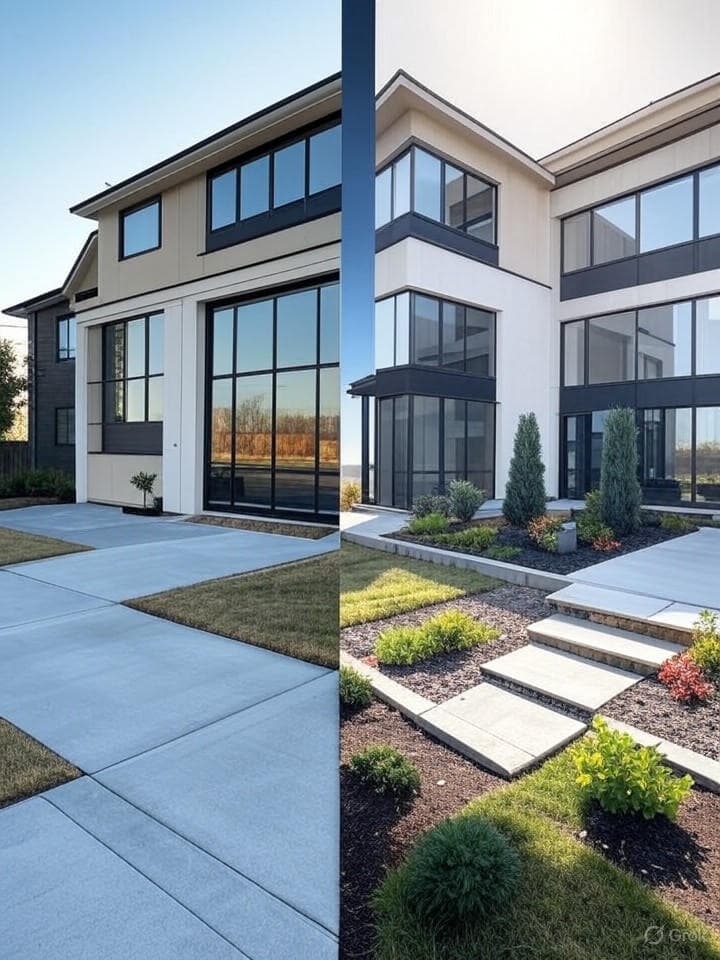
Let's be honest -- you already know photos aren't cutting it anymore. You've got a gorgeous rental sitting there, maybe an Airbnb that photographs beautifully, and yet... crickets. Meanwhile, the agent down the street is swimming in inquiries because they posted a 30-second video reel that made a pretty normal condo look like a boutique hotel.
Here's the thing. Creating an effective property listing video isn't some big production. You don't need a film crew. You don't need to learn After Effects. You just need a smart approach -- and maybe a little end-of-year urgency to get you off the fence. Holiday season's coming, people are browsing for cozy winter getaways and New Year fresh starts, and that's your window.
So let's walk through how to actually do this. No fluff. Just what works.
Importance of Property Listing Videos
You've heard it before: video is king. But for property listings -- especially rentals and Airbnb -- it's not just marketing hype. A property listing video lets someone feel a space before they ever set foot in it. That's huge. Photos are flat. Video is an experience. And when someone's trying to decide between your listing and twelve others on a Tuesday night at 11pm? The one with the video wins. Almost every time.
Statistics and Benefits
Okay, I'll throw one stat at you because it's genuinely wild -- listings with video pull in something like 400% more inquiries than those without. Four hundred percent. (The National Association of Realtors put that number out, and honestly, even if it's half that, it's still a no-brainer.)
But here's what that actually looks like in practice:
- People stick around on your listing 5-10x longer when there's video. That's not "scrolling past" -- that's genuine attention.
- Videos get shared. Your listing ends up in group chats and DMs. "Hey, look at this place!" That kind of organic reach is priceless, especially during the end-of-year rush when everyone's planning holiday trips.
- They build trust. Someone watches your walkthrough and they already feel like they've been there. Fewer tire-kickers. Fewer no-shows at viewings.
- For Airbnb specifically, hosts with solid video content tend to see 20-30% more bookings. That's real money sitting on the table if you're not doing this.
And the thing nobody talks about? Video actually saves you time. I know that sounds backwards. But when people can see the space upfront, the inquiries you do get are way more qualified. Less back-and-forth. Less "oh, I didn't realize the kitchen was that small."
Buyer Behavior Insights
Here's who's looking at your listings right now: millennials and Gen Z who've been watching video content since they were kids. Static photos feel... old to them. Like reading a newspaper when there's a podcast.
Something like 70% of home searchers watch video before they ever pick up the phone or send a message -- and most of them make a gut-level decision in the first 10 seconds. Ten seconds. That's it. So your opening shot better not be a blurry photo of the garage.
For Airbnb and rental folks, there's a massive behavior spike in November and December. People are hunting for holiday getaways, planning family visits, looking for that New Year's Eve spot. If your property listing video shows a crackling fireplace, twinkling lights, a cozy reading nook -- you're speaking directly to that seasonal itch. And if you can show that the place works great for remote work (good desk setup, reliable wifi), you're covering the "workcation" crowd too, which honestly isn't going away anytime soon.
The point is -- you're not just making a video. You're meeting people where they already are and giving them what they're already looking for.
Tools and Apps for Creation
Alright, let's talk about the actual tools. Because knowing you should make videos doesn't help much if you don't know how. The good news? You don't need to be technical. At all.
Software Recommendations
This is one of the most common questions I see -- "what apps do realtors use for videos?" -- and there's no shortage of options.
- CapCut -- Free, surprisingly powerful, great for quick reels. It's what a lot of agents start with.
- InShot -- Really good for adding text overlays and music. Simple learning curve.
- Adobe Premiere Rush -- If you want that polished, professional look and don't mind paying for it.
- Canva's video editor -- Template-based, so it's fast if you're not a designer (and let's be real, most of us aren't).
- iMovie -- If you're an iPhone person, it's right there and it works.
But here's where I'd steer you if you're short on time (and when aren't you?): ListingReelMaker. You upload your property photos, and it spits out a branded, narrated, music-backed video reel in about 10 minutes. No editing timeline. No dragging clips around. Just photos in, video out. For agents juggling multiple rentals and Airbnb properties, it's kind of a lifesaver.
Feature Comparisons
Let me save you some research here:
CapCut's got great free effects and transitions, but branding options are limited -- your video looks like everyone else's. InShot handles text really well, though exporting can be clunky. Premiere Rush gives you 4K and serious control, but you're paying for it and there's a real learning curve (plus, do you actually have time to learn another piece of software right now?).
ListingReelMaker is a different animal entirely. It's AI-powered, so the heavy lifting -- the sequencing, the Ken Burns effects, the music, the narration -- just happens. You focus on picking good photos. It handles the rest. For end-of-year seasonal content, that speed matters. You can crank out a winter-themed video for each of your listings in an afternoon instead of spending a whole weekend in an editing app.
If speed and consistent branding are what you need for your rental listings (and they probably are), AI tools like ListingReelMaker give you the best return on your time. Period.
Step-by-Step Guide
Okay. Enough theory. Let's actually make a property listing video. This is the "how to make a property reel" part -- a complete workflow you can follow today, not someday. Especially useful if you're converting existing listing photos into video (which, yes, you can totally do).
Complete Workflow
First, get clear on what this video needs to accomplish. Is it driving bookings for a holiday Airbnb? Generating inquiries for a long-term rental? The goal shapes everything.
Here's the flow:
- Gather your assets -- photos, maybe a couple short clips if you have them
- Pick your tool (see above)
- Aim for 30-60 seconds. That's the sweet spot. Nobody's watching a 3-minute property tour on Instagram.
- Use 10-15 of your best visuals. Not every photo. Your best photos.
- Lean into the season -- if it's late fall or winter, play up warm lighting, cozy textures, maybe some holiday decor. People are feeling those vibes right now and you want to match that energy.
- Add captions (more on why later)
- Export in high res
- Test it on your phone before you post. If it takes forever to load or looks weird vertical, fix it now.
That's it. Not twenty steps. Not a weekend project. An afternoon -- tops.
From Photos to Video
This is the part that trips people up. "I don't have video footage, just photos." Good news: that's totally fine. Some of the best-performing property listing videos out there are built entirely from photos with smart motion effects layered on top.
Photo Selection
Your photos make or break this. Garbage in, garbage out. So be picky:
- Exterior shots -- curb appeal matters. If you've got seasonal elements (fall colors, string lights, a dusting of snow) even better for that end-of-year feel.
- Interior highlights -- bedrooms, living areas, the stuff people actually imagine themselves using. Show space and functionality, not just "here's a room."
- The wow factor -- balcony view? Clawfoot tub? Smart home setup? Whatever makes your listing different from the one next door, feature it.
- Keep it clean -- literally. 8-12 images max. Mix your angles -- wide shots for rooms, close-ups for details like fixtures or finishes. Tell a story, don't dump a photo album.
(Quick aside -- if your photos aren't great, consider retaking a few before building the video. Bad photos become bad video. No tool can fix that.)
Sequencing Tips
Think of it like giving someone a tour. You wouldn't walk them into the bathroom first, right? There's a natural flow:
- Start strong. Your absolute best shot goes first. You've got 3 seconds to stop the scroll. Make them count.
- Build a narrative. Exterior to living room to kitchen to bedrooms -- guide the eye the way you'd guide a walkthrough. Smooth, logical, no jarring jumps.
- Drop your seasonal hook in the middle. Fireplace shot. Holiday setup. A cozy blanket draped over the couch. Put it midway through when attention naturally dips -- it pulls people back in.
- End with a clear CTA. Contact info. Booking link. "DM for details." Don't make them guess what to do next.
- Add motion. Pan-and-zoom effects (the Ken Burns thing) turn static photos into something that actually moves. Tools like ListingReelMaker handle this automatically -- you don't have to keyframe anything yourself.
Follow that sequence and your property listing video will feel like a real tour, not a slideshow.
Optimization for Social Media
Making a great video is half the battle. The other half? Making sure the right people actually see it. Most of your rental and Airbnb traffic is coming from social media, so you need to play each platform's game -- especially during the end-of-year surge when everyone's scrolling for quick getaway ideas.
Platform-Specific Tips
Each platform has its own personality. Treat them differently:
- Instagram Reels -- Short, vertical, trending audio. This is where Airbnb vibes live. Throw on hashtags like #HolidayRental or #WinterGetaway for seasonal discoverability. Keep it aspirational.
- Facebook -- You can go a bit longer here. Add a voiceover talking through the rental's perks. Facebook audiences tend to be a little older, a little more deliberate. Give them details.
- TikTok -- Fast cuts. Fun energy. This is where "Winter Wonderland Stays" could genuinely go viral if you nail the vibe. Don't overthink it -- TikTok rewards authenticity over polish.
- YouTube -- The place for in-depth tours. Optimize your title with keywords like "Cozy Airbnb Rental Tour -- Holiday Special." People actually search on YouTube the way they search on Google.
One thing that's true across all of them: 80% of real estate searches happen on phones. So if your video doesn't look good on a 6-inch screen, it doesn't look good. Full stop.
Format Requirements
The boring-but-important stuff:
- Instagram & TikTok: Vertical, 9:16 aspect ratio, 1080x1920 resolution
- YouTube: Horizontal, 16:9, 1920x1080
- Length: Under 60 seconds gets the best completion rates (people actually watch the whole thing)
- File size: Keep it under 100MB for quick uploads. Nobody's waiting for your video to buffer.
- Format: MP4. Always MP4. It just works everywhere.
- Subtitles: Non-negotiable. Most people scroll with sound off. If your video doesn't make sense on mute, you've lost them.
- Thumbnails: For seasonal stuff, a snow-dusted exterior or warm holiday interior can boost your click-through rate by up to 30%. Don't sleep on the thumbnail.
Measuring Success and ROI
You've made the video. You've posted it. Now... is it actually working? This matters especially for rentals and Airbnb where you need fast ROI, and doubly so during end-of-year peaks when every day counts.
Analytics Tracking
Don't just post and pray. Actually look at the numbers:
- Instagram Insights -- views, reach, saves (saves are the hidden gem -- it means someone wants to come back to your listing)
- YouTube Analytics -- watch time, audience retention, where people drop off
- Google Analytics -- if you're embedding video on your listing site, track the traffic it drives
- Hootsuite or Buffer -- if you're posting across multiple platforms, these aggregate everything so you're not logging into five different apps
For seasonal benchmarks, well-optimized Q4 videos tend to see a 15-25% bump in inquiries compared to other quarters. That's the holiday effect working in your favor -- but only if you've got the content to capture it.
Performance Metrics
Here's what actually matters (and what's just vanity):
- View count -- nice for ego, useful for gauging reach, but don't obsess over it
- Engagement rate -- likes, comments, shares. Aim for 5-10% on a good reel. If people are tagging friends, you're winning.
- Conversion metrics -- this is the money stat. Inquiry forms filled out. Bookings made. Messages received. If a video costs you $50 to produce and pulls in 10 qualified inquiries, that math speaks for itself.
- Watch completion rate -- ideally over 70%. If people are bouncing at the 5-second mark, your opening needs work.
- Click-through rate -- are they actually following your CTA? If not, maybe the CTA isn't clear enough, or it's buried.
And here's the real secret: iterate. If your end-of-year videos aren't performing, don't just shrug. Tweak the hook. Try a different thumbnail. Add a stronger holiday-specific call-to-action. The agents who win at video aren't the ones who make one perfect reel -- they're the ones who keep adjusting until something clicks.
Look, I know you're busy. You're showing houses, answering calls, chasing paperwork -- the last thing you want is another "content strategy" to manage. But a property listing video doesn't have to be a big production. It can be fast, it can be simple, and it can genuinely change how many inquiries you're getting for your rentals and Airbnb properties. Especially right now, with end-of-year energy in full swing.
If you want the fastest path from "I have listing photos" to "I have a professional branded reel," give ListingReelMaker a shot. Upload your photos, get a polished video in about 10 minutes, post it, and move on with your day. That's it. Your listings deserve to be seen the way they're meant to be seen -- and your future tenants and guests are already scrolling, waiting to find you.